How to Fix a Solar Battery Not Charging in 2026

Time:2026-09-29 Author:Ethan
0%

When sunlight is strong but your battery’s charge level stays flat, the problem may not be the panels. A tripped breaker, loose cable, incorrect inverter setting, or battery fault can interrupt charging. If you are asking, “why is my solar battery not charging,” start with the system’s visible clues: warning lights, app alerts, displayed voltage, and the time charging stopped. Small details matter.

Solar educator Dr. Sean White is a recognized voice in photovoltaic training. A useful troubleshooting principle is: “Check the system’s settings and connections before assuming the battery has failed.” Treat that as practical guidance, not a substitute for your battery manufacturer’s instructions. A screen showing zero solar input points toward a different issue than one showing solar production but no battery charge. The distinction can save time.

This guide walks through safe, step-by-step checks for common charging problems in 2026, from shading and low sunlight to settings, wiring, and battery protection modes. You’ll learn what you can inspect yourself and when to stop. Do not open battery enclosures or probe live terminals unless you are qualified and following the manufacturer’s safety procedures. Some faults need a trained technician. And honestly, not every symptom has a neat, obvious cause; intermittent faults can take careful observation to identify. Keep notes, take photos of display messages, and compare readings over time. Those details can help an installer diagnose the issue accurately.
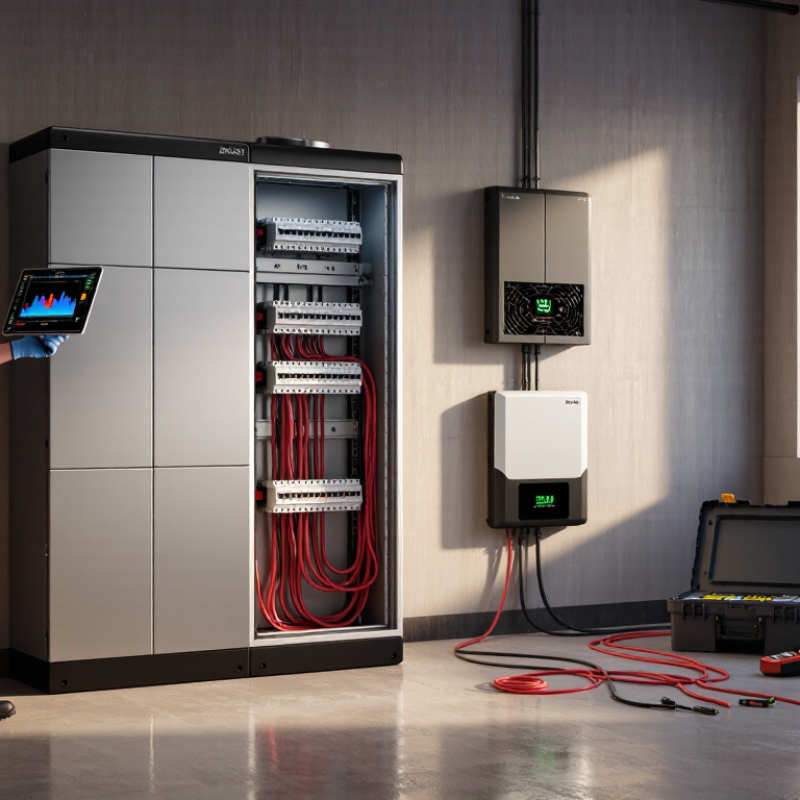
How to Fix a Solar Battery Not Charging in 2026

Understanding How a Solar Battery Charging System Works

How to Fix a Solar Battery Not Charging in 2026

A solar battery charging system moves energy through several controlled stages. Solar panels produce variable direct current during daylight. The charge controller adjusts this electricity for the battery’s voltage and chemistry. An inverter may later convert stored energy into household alternating current. Each part must communicate correctly. A fault in one section can stop charging completely.

Start with the system display and record the battery voltage, charging current, and state of charge. Check these readings during strong sunlight, not under heavy cloud. Inspect connectors, cable insulation, fuses, and isolators for looseness, corrosion, or heat marks. A controller showing panel voltage but zero charging current may indicate a battery-side fault. A dark display may suggest a disconnected battery, blown fuse, or controller failure. Do not open energized equipment. Use an appropriately rated meter, and request qualified service when readings seem unsafe.

Temperature also matters. Many batteries reduce or stop charging in extreme heat or cold. The battery management system may protect the cells when voltage, temperature, or current becomes abnormal. Resetting equipment sometimes helps, but it can also hide the real cause. I have learned that one voltage check can mislead me, especially after surface charging. Compare readings over time and check the manufacturer’s approved charging range. An aging battery may accept energy briefly, then fall rapidly. That detail deserves attention, not guesswork.

Checking Solar Input, Wiring, and Connections

How to Fix a Solar Battery Not Charging in 2026

A solar battery may stop charging because the panels are producing little or no usable power. Check the solar input during bright daylight, not under indoor lighting. Look for shading from branches, dust on the glass, or a panel tilted after strong weather. Read the controller’s input voltage and current. Compare both values with the system’s normal operating range. A zero reading often points to a disconnected cable, blown fuse, or failed isolator.

Wiring problems are common. Inspect cables for cracked insulation, loose terminals, corrosion, or animal damage. Switch off the appropriate circuit before touching connections. Never pull a cable by its wire. Check polarity with a suitable meter, especially after recent maintenance. Reversed polarity can prevent charging and may damage equipment. If the voltage appears unstable, measure at the panel side and then at the controller side. A large difference suggests resistance in the cable or a poor connection.

I once blamed the battery too quickly. The real fault was a loose terminal hidden behind the controller. That mistake changed my inspection routine. Still, visual checks can miss heat damage inside a connector. Stop testing if you notice burning smells, melted plastic, or unusual heat. A qualified technician should examine those faults. Record the readings, weather conditions, and recent work before changing parts. Small details matter.

How to Fix a Solar Battery Not Charging in 2026 - Checking Solar Input, Wiring, and Connections

What to check How to check it What the result may indicate Recommended action
Sunlight and panel shading Check for shade from trees, buildings, debris, or snow. Compare charging during clear daylight with charging during cloudy conditions. Low or variable sunlight can reduce panel output and may leave little surplus power for charging. Clear safe-to-reach obstructions and review charging again in direct sunlight. Do not climb onto a roof without appropriate safety equipment.
Solar input at the charge controller Use the controller display or monitoring app to check PV voltage and charging current in daylight. Compare readings with the system specifications. No PV reading may point to an open circuit, disconnected array, tripped protective device, or a panel-side problem. Low readings can also result from shade or poor weather. Check connections and protective devices only when safe. Have a qualified solar technician test the array if readings remain absent or abnormal.
PV wiring and polarity With the system safely isolated according to its instructions, inspect accessible cables for loose plugs, damaged insulation, corrosion, or signs of heat. Confirm positive and negative conductors are connected correctly. A loose, damaged, reversed, or poorly joined cable can interrupt or limit solar input. Do not handle exposed conductors. Correct wiring only if qualified and following the system manual; otherwise, contact a licensed installer.
Battery connections Check accessible terminals and cable lugs for looseness, corrosion, discoloration, or unusual warmth. Follow the manufacturer’s shutdown procedure before inspection. A poor battery connection can prevent charging or cause intermittent operation. Stop using the system if a connection is hot, damaged, or sparking. Arrange professional inspection and repair.
Fuses, breakers, and isolators Check whether the system’s DC isolator or breaker is in the correct operating position and whether a fuse has visibly failed, using the manual for guidance. An open protective device can stop current flowing from the panels to the controller or battery. Do not bypass a fuse or breaker. If it trips again after being reset according to the manual, leave the system off and seek qualified service.
Battery state and temperature Review the battery display or monitoring app for state of charge, temperature, and warnings. Check the battery’s specified operating and charging temperature range. Some battery management systems limit or stop charging when temperature or battery conditions fall outside permitted limits. Keep the battery within its specified conditions and address any displayed warning using the battery manual. Do not heat or cool it with improvised equipment.
Charge controller settings Confirm the selected battery type and charging profile match the battery manufacturer’s requirements. Check for active fault codes or disabled charging settings. Incorrect settings or a controller fault can prevent the battery from receiving the correct charge. Use only settings specified for the battery and system. Record existing settings before making changes, and consult an installer if the correct profile is unclear.
Power use versus solar production Compare the system’s solar production with household or equipment loads during daylight using the monitoring display. If loads use all available solar power, little or no surplus may remain to charge the battery. Temporarily reduce nonessential loads and check whether the battery begins charging. Review system sizing and energy use if the issue is frequent.
Persistent fault or no charging Record the controller or battery warning, time of day, solar conditions, and displayed PV and battery readings. Repeated faults or continued zero charging after basic checks may indicate a component or wiring failure that needs testing. Contact a qualified solar technician. Avoid opening electrical equipment or measuring live circuits unless trained and equipped to do so.

Safety note: Solar panels can produce hazardous DC voltage in daylight. Follow the system’s shutdown instructions and local electrical codes; use a qualified professional for live testing or repairs.

Inspecting Battery Settings, Charge Controllers, and Inverters

A solar battery that stops charging may have incorrect settings rather than a damaged cell. Open the battery menu and confirm the selected chemistry, system voltage, maximum charging current, and minimum reserve level. Lithium and lead-acid batteries require different charging profiles. A wrong profile can reduce capacity or create a safety risk. Check scheduled charging windows too. An active time limit may quietly block charging during sunlight. Measure the battery voltage with a calibrated multimeter. Do not rely only on the screen.

Inspect the charge controller next. Confirm that solar input voltage appears during daylight and that charging current changes when sunlight improves. Loose terminals, shaded panels, blown fuses, or reversed polarity can interrupt the circuit. Then review the inverter settings. Some inverters prioritize household loads, backup reserves, or another power source before battery charging. Read error codes and recent event logs. The display may report “charging” while the actual current remains nearly zero. That detail is easy to miss. I would also check cable temperature and terminal tightness, because resistance can hide behind normal-looking readings. Stop and contact a qualified technician if terminals are hot, swollen, cracked, or damaged.

Tips: Record voltage, current, sunlight conditions, and settings at morning and midday. Change one setting at a time. Photograph the original values first. My own troubleshooting preference is slower than necessary, but it prevents guessing and makes mistakes easier to correct. Never bypass protective limits to force a charge.

Testing Battery Health and Identifying Faults

How to Fix a Solar Battery Not Charging in 2026

Before replacing anything, test the battery’s actual condition. Begin with a visual inspection. Look for swelling, cracked casing, corrosion, loose terminals, or unusual heat. Stop testing if you notice smoke, leaking fluid, or a sharp chemical smell. Measure the battery voltage with a properly rated multimeter after resting it without charging or load. Then compare the reading with the battery’s published voltage range. A low resting voltage may indicate deep discharge, cell imbalance, or a failed protection system.

Next, test charging behavior under controlled conditions. Confirm that the charge controller receives solar input and delivers suitable voltage to the battery. Check charging current, terminal connections, and displayed fault codes. A battery can show normal voltage while losing capacity under load. A professional load test can reveal this weakness more clearly. One mistake worth admitting: voltage alone can look reassuring. It is not a complete health report. Record readings at similar temperatures, because cold conditions can distort performance.

Tips: Clean terminals only after isolating the system. Tighten connections gently. Never bypass safety controls. Compare present readings with earlier records. If the battery repeatedly stops charging, isolate it and request qualified service. A small wiring fault can imitate a dead battery, while repeated resets may hide a deeper problem.

Applying Safe Repairs and Verifying Charging Performance

How to Fix a Solar Battery Not Charging in 2026

Applying Safe Repairs and Verifying Charging Performance

A battery that will not charge needs careful checks, not guesswork. Start with the system’s display and note any warning codes, battery percentage, and charging status. Check whether sunlight is reaching the panels; shade from a new branch can reduce output more than expected. Look at accessible cables and connectors for looseness, dirt, moisture, or visible damage. Do not open the battery casing or touch exposed wiring. If anything looks burnt, swollen, or wet, stop and contact a qualified technician.

For a safe reset, follow the system manual and use its designated shutdown procedure. Check that the battery’s isolator and accessible breakers are in their specified positions. Never bypass a safety device. Once the system is running again, watch its readings during a bright part of the day. Charging may pause when the battery is full, the temperature is outside its operating range, or household demand uses incoming power. Give it time. One quick reading proves little.

Record the battery level and charging power at similar times over several days, along with cloud cover and major appliance use. A steady rise suggests normal charging; no change across clear days deserves attention. I would not assume the battery is faulty from one cloudy afternoon. Share your notes and warning codes with a technician, especially if readings fluctuate sharply or the system repeatedly shuts down.

FAQS

Why might a solar battery stop charging?

Weak sunlight, shade, dust, loose cables, or incorrect settings may reduce charging. One cloudy afternoon proves little.

When should solar input be checked?

Check during bright daylight. Read the controller’s voltage and current. Indoor lighting gives misleading results.

What panel problems can reduce charging?

Branches, dust, and weather-shifted panels can block useful power. Inspect the glass and panel angle carefully.

Which wiring faults should be inspected?

Look for cracked insulation, loose terminals, corrosion, moisture, or animal damage. Never pull a cable by its wire.

What does a zero solar-input reading suggest?

It may indicate a disconnected cable, blown fuse, or failed isolator. A technician should confirm the fault safely.

Which battery settings affect charging?

Check battery chemistry, system voltage, charging current, reserve level, and charging schedules. Different battery types need different profiles.

Can the inverter prevent battery charging?

Yes. It may prioritize household demand, backup reserves, or another power source. Review warnings and recent event logs.

How can charging performance be verified?

Record battery level, charging power, sunlight, and appliance use for several days. A steady rise suggests normal charging.

When should testing stop?

Stop if you smell burning or see melted plastic, swelling, unusual heat, or wet components. Do not open the battery casing.

What is a safer reset method?

Follow the system manual’s shutdown procedure. Use designated isolators and breakers. Never bypass protective limits.

Conclusion

When asking, “why is my solar battery not charging,” start by understanding the complete charging path: sunlight reaches the panels, power travels through wiring and protective devices, and a charge controller or inverter regulates energy before it enters the battery. Check whether the panels are receiving enough sunlight, then inspect cables, terminals, fuses, and connectors for looseness, corrosion, or damage. Safe testing with suitable equipment can reveal whether solar input is reaching the charging system.

Next, review battery settings, charging limits, operating modes, and error messages. Confirm that the controller and inverter are configured for the battery’s chemistry and voltage requirements. If charging still fails, test the battery for low capacity, abnormal voltage, overheating, or internal faults. Disconnect power before making repairs, replace damaged components with correctly rated parts, and avoid opening sealed batteries. After correcting the issue, monitor charging voltage, current, temperature, and battery status through a complete cycle to verify stable and safe performance.

Ethan

Ethan

Ethan is a seasoned marketing professional with a deep expertise in our company's innovative product line. With a passion for sharing knowledge and insights, he takes the lead in regularly updating our corporate blog, where he explores industry trends, product features, and effective marketing......